After Hours Tracking (Checkbox)
Hazardous Materials (Checkbox)
Introduction
In this article we will observe all the fields that are shown in the form for creating a load in the Fleet Rocket system with its brief description. This form is shown if we go to the Freight tab, then Shipments and click on New Shipment.
Fields for Shipment Creation
Shipper
Shipper (System search)
Refers to the shipper account providing this cargo. *It must be previously registered in the system and selected in the search field.
Visible to shipper (Checkbox)
Uncheck this box in case it is necessary for the shipper to have visibility of the load only later (Manually or automatically at the moment of having a carrier assigned).
Sales Status
Select the shipper's sales type: Spot, Contracted, Private Fleet, Empty Movement, Replenishment.
Fleet Rocket Billing Entity
Select the billing entity either Mexican or American.
Critical Freight (Checkbox)
Check the box in case it is a critical load that will have top priority in the system.
After Hours Tracking (Checkbox)
Check this box in case it is a cargo that must be tracked after hours.
Identifiers
Collection number
Number required to collect freight
Billing reference (IRN)
Billing ID, reference to the shipper.
*Optional Identifiers button
Another section for optional identifiers such as BOL number, order number, seal number, etc.
Equipment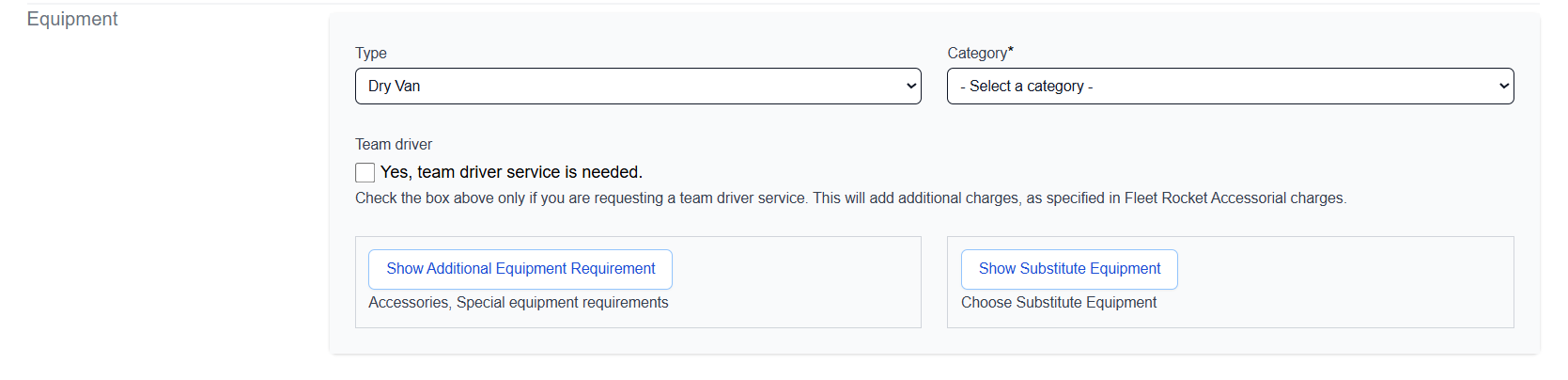
Trailer type
Type of trailer with which the shipment will be handled: Dry Box, Platform, Refrigerated Box, Rabon, Torton.
Trailer category
Type of trailer 48 y 53 feet.
Pickup
Consignor
This data is shown to the carrier and driver. Information to find the consignor easily.
Pickup instructions
Any additional instructions to the carrier for smooth and quick pickup.
Pickup Schedule
Pickup Address (Search)
Delivery address. Address search with Google Maps.
Earliest Pickup
Earliest pickup time and date.
Final pickup before
Latest pickup time and date.
Drop-off
Consignee
Recipient data shown to the carrier and operator. Information to find the sender easily.
Delivery instruction
Any additional instructions to the carrier for smooth and fast delivery.
Delivery Schedule
Delivery Address (Search)
Delivery address. Address search with Google Maps.
Earliest delivery
Earliest pick up time and date.
Final delivery before
Latest pickup time and date.
Freight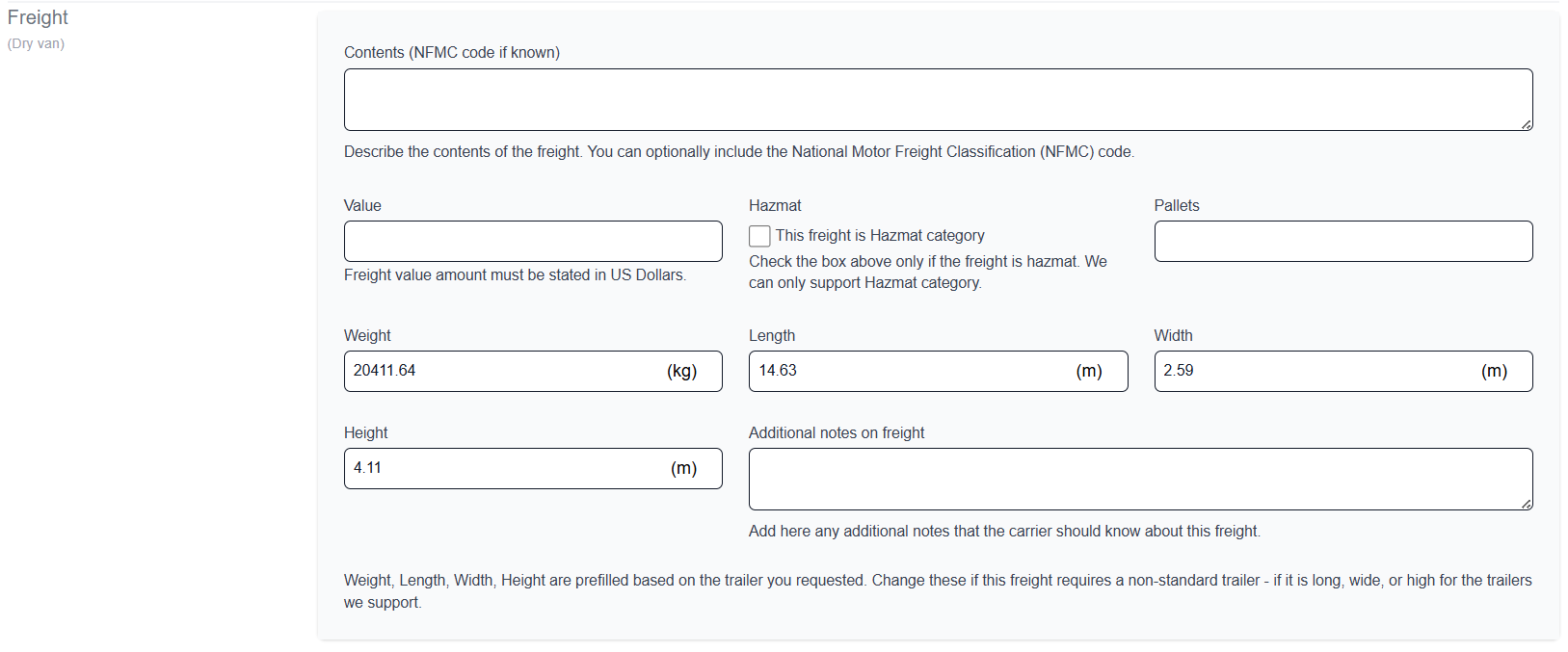
Content
Freight content, as well as the possibility of including the NFMC code.
Value
Freight amount in USD.
Hazardous Materials (Checkbox)
Check in case the freight contents are hazardous materials, category 9.
Pallets
Number of pallets in the shipment.
Weight
Freight weight
Length
Freight length
Width
Freight width
Height
Freight height
Additional notes for freight
Any additional notes regarding freight.
Commission
Amount
Maximum amount that the shipper is willing to pay for the transportation of the cargo.
Currency
Currency of the amount marked.